Unlock Your Insta-Success: A Guide to Mastering Instagram Analytics for Marketing
Hey there, savvy marketers! Ever feel like you're shouting into the void on Instagram, hoping someone,anyone, is listening? You're posting pretty pictures, witty captions, maybe even dabbling in Reels, but are you actually moving the needle? Are you converting those likes and comments into, you know, real results? Let's be honest, blindly throwing content at the algorithm is like tossing spaghetti at the wall and hoping it sticks. It's messy, inefficient, and probably a waste of perfectly good pasta (or, in our case, time and effort).
We've all been there. Scrolling through our feeds, seeing those seemingly effortless accounts racking up engagement, and wondering, "What's their secret sauce?" Is it just luck? A really good filter? Or is there something more strategic going on behind the scenes?
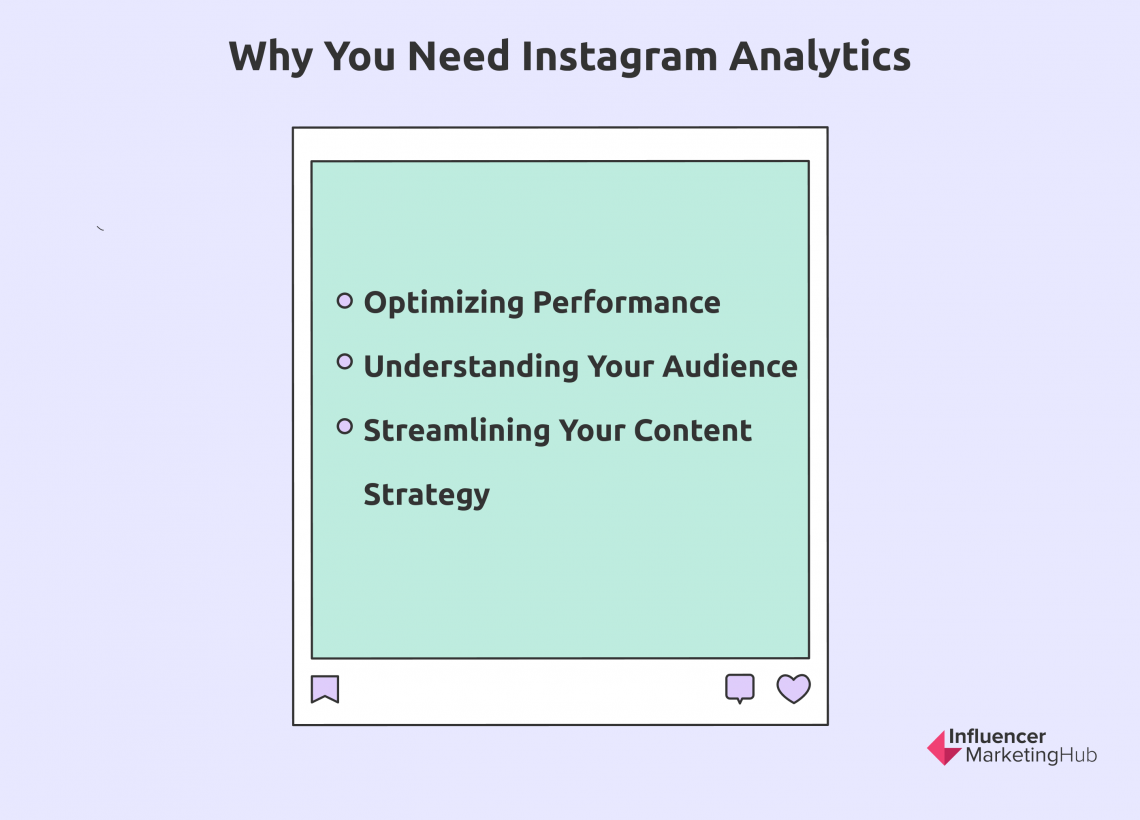
The truth is, the Instagram game isn't just about aesthetics; it's about data. It's about understanding your audience, knowing what resonates with them, and tailoring your content to deliver maximum impact. And the key to unlocking this treasure trove of insights? Instagram Analytics.
Think of Instagram Analytics as your personal Sherlock Holmes, meticulously gathering clues about your audience's behavior. It's the magnifying glass that helps you decipher what's working, what's not, and what you need to tweak to achieve your marketing goals. Without it, you're essentially flying blind, navigating the complex world of social media without a map.
But don't worry, you don't need to be a data scientist or a marketing guru to master Instagram Analytics. It's actually quite user-friendly, once you know where to look and what to look for. This isn't about overwhelming you with complicated charts and graphs; it's about empowering you with the knowledge to make smarter, more informed decisions about your Instagram strategy.
Imagine being able to predict which type of content will resonate most with your audience, identify the optimal time to post for maximum engagement, and understand which hashtags are actually driving traffic to your page. Sounds pretty powerful, right?
So, buckle up, friends! We're about to embark on a journey into the fascinating world of Instagram Analytics. We'll demystify the data, break down the key metrics, and show you how to transform those numbers into actionable insights that will supercharge your marketing strategy. Ready to unlock the secrets to Instagram success?
How to Use Instagram Analytics to Refine Your Marketing Strategy
Alright, let’s dive in! We’re going to break down exactly how you can use Instagram Analytics to make your marketing strategy shine brighter than a perfectly curated feed. This isn't just about looking at numbers; it's about understanding the story those numbers are telling.
Understand Your Audience Demographics
• Knowing who you're talking to is crucial. Instagram Analytics provides a wealth of information about your followers, including their age, gender, location, and even their most active times. Imagine you're selling handmade jewelry. If your analytics show that the majority of your audience is women aged 25-34 located in major urban areas, you'll want to tailor your content and messaging to appeal to that specific demographic. You might feature jewelry styles that are popular in those cities, use language that resonates with young urban women, and even consider running targeted ads to reach more people like them.
• Dive deeper than just the basics. Look at the "Top Locations" data. Are you surprised by where your followers are located? This could reveal untapped markets you haven't even considered. Perhaps you discover a significant following in a country where you don't currently ship. This could be a signal to expand your shipping options and tap into a whole new customer base.
Analyze Your Content Performance
• Not all content is created equal. Instagram Analytics allows you to track the performance of each individual post, Reel, and Story. Pay attention to metrics like reach, impressions, engagement rate (likes, comments, saves, shares), and profile visits. Which posts are performing best? What do they have in common? Are they visually stunning photos, engaging videos, informative infographics, or thought-provoking captions? Once you identify the common threads, you can create more content that aligns with what your audience loves.
• Don't just look at likes. Saves and shares are often more valuable metrics than likes because they indicate that people found your content truly valuable and want to revisit it later or share it with their own network. If you notice a particular post is getting a lot of saves, try to replicate that type of content in the future. For example, if you posted a recipe that received a ton of saves, consider sharing more recipes or cooking tips.
Track Your Hashtag Performance
• Hashtags are the lifeblood of Instagram discovery. But not all hashtags are created equal. Some are highly competitive and will get your post lost in the noise, while others are more niche and will help you reach a more targeted audience. Instagram Analytics allows you to see how many impressions you're getting from hashtags on each post. This is invaluable for determining which hashtags are actually driving traffic to your page and which ones are simply a waste of space.
• Experiment with different hashtag strategies. Try mixing a combination of broad, popular hashtags with more specific, niche hashtags. Track your results and see which combination works best for your brand. You can also use hashtag research tools to find relevant hashtags that you may not have considered. For example, if you're a travel blogger, you might use broad hashtags like #travel and #wanderlust, but also more specific hashtags like #travelphotography, #budgettravel, or #solotravel.
Monitor Your Story Insights
• Instagram Stories are a fantastic way to engage with your audience on a more personal level. But are your Stories actually holding their attention? Story Insights allow you to track metrics like tap forwards, tap backs, exits, and replies. These metrics can tell you a lot about what's working and what's not. Are people tapping through your Stories quickly? This could indicate that your content is boring or irrelevant. Are they tapping back to rewatch certain segments? This suggests that those segments were particularly engaging.
• Use polls, quizzes, and question stickers to boost engagement. These interactive features not only encourage participation but also provide valuable insights into your audience's preferences. For example, you could use a poll to ask your followers which product they prefer or a question sticker to solicit feedback on a new campaign. The responses you receive can help you refine your messaging and make your content more relevant.
Analyze Your Profile Activity
• Your profile is your Instagram storefront. It's the first impression that potential followers and customers will have of your brand. Instagram Analytics tracks metrics like profile visits, website clicks, and follow rates. Are people visiting your profile but not clicking through to your website? This could indicate that your bio or website link is not compelling enough. Are you losing followers? Analyze your recent content and see if there's a correlation. Did you post something controversial or irrelevant that may have turned people off?
• Optimize your bio and profile picture. Make sure your bio clearly communicates what your brand is all about and includes a compelling call to action. Use a high-quality profile picture that is easily recognizable and reflects your brand's personality. Consider using a link in your bio tool to create a landing page with multiple links to your website, blog, and other important resources.
Track Your Ad Performance
• If you're running Instagram ads, it's crucial to track their performance to ensure you're getting the best return on your investment. Instagram Analytics provides detailed data on your ad campaigns, including reach, impressions, clicks, conversions, and cost per result. Which ads are performing best? What are the key differences between your successful and unsuccessful ads? Are you targeting the right audience? Are your ad creatives compelling and relevant?
• A/B test your ads. Experiment with different ad creatives, targeting options, and placements to see what works best. For example, you could test two different versions of the same ad with slightly different headlines or images. Track the results and see which version performs better. This will help you optimize your ad campaigns and maximize your ROI.
Competitive Analysis (The Sneaky Peek!)
• While Instagram Analytics primarily focuses on your own data, you can also glean insights from your competitors. Pay attention to their content strategy, posting frequency, hashtag usage, and engagement rates. What are they doing well? What are they doing poorly? How can you differentiate your brand from theirs? You can use third-party tools to track your competitors' performance in more detail, but even a simple manual analysis can provide valuable insights.
• Don't just copy your competitors. Use their strategy as a starting point, but always add your own unique twist. Focus on creating content that is authentic, engaging, and relevant to your audience. Remember, the goal is not to be a carbon copy of your competitor, but to be the best version of yourself.
Turning Data into Action (The Fun Part!)
• The most important part of using Instagram Analytics is taking action on the insights you've gained. Don't just collect data and let it sit there. Use it to inform your content strategy, optimize your posting schedule, refine your hashtag strategy, and improve your overall marketing performance. Regularly review your analytics and make adjustments as needed. The Instagram algorithm is constantly evolving, so it's important to stay adaptable and be willing to experiment.
• Create a content calendar based on your analytics. Plan your content in advance, taking into account the types of content that resonate most with your audience, the optimal times to post, and the hashtags you want to use. This will help you stay organized, consistent, and strategic.
• Remember, Instagram Analytics is a powerful tool that can help you achieve your marketing goals. By understanding your audience, analyzing your content performance, and tracking your results, you can create a more effective and engaging Instagram strategy that drives real results.
Questions and Answers about Instagram Analytics

Let's tackle some common questions about Instagram Analytics. We know data can feel overwhelming, so we're here to simplify things!
Question 1: How do I access Instagram Analytics?
Answer: First, make sure you have an Instagram Business or Creator account. Then, simply tap on the three lines in the top right corner of your profile and select Insights.Voila! All your data awaits.
Question 2: What's the difference between Reach and Impressions?
Answer: Reach is the number ofuniqueaccounts that have seen your content. Impressions are the total number of times your content has been displayed, even to the same person. Think of it this way: one person can contribute to multiple impressions if they see your post more than once.
Question 3: What's a good engagement rate on Instagram?
Answer: This varies depending on your industry and audience size, but a general rule of thumb is that an engagement rate (likes + comments + saves + shares / total followers) of 1-3% is considered good. Higher is always better! Keep an eye on industry benchmarks for a more tailored perspective.
Question 4: How often should I check my Instagram Analytics?
Answer: We recommend checking your analytics at least once a week to monitor your overall performance and identify any trends or patterns. For ad campaigns, you'll want to check them more frequently to ensure you're on track to meet your goals.
Alright, friends, we've covered a lot of ground today. From understanding your audience demographics to tracking your hashtag performance and everything in between, you now have the knowledge and tools to master Instagram Analytics and refine your marketing strategy.
Remember, the key to success is to be data-driven, not data-dominated. Don't get bogged down in the numbers; focus on using the insights you gain to make smarter, more informed decisions about your content and strategy. Analyze the data, identify trends, and adjust your approach accordingly.
And most importantly, don't be afraid to experiment! The Instagram algorithm is constantly evolving, so it's important to stay adaptable and be willing to try new things. What works today may not work tomorrow, so keep testing, learning, and refining your strategy.
So, what's next? It's time to put your newfound knowledge into action! Log into your Instagram Analytics, take a deep dive into your data, and identify one or two key areas where you can make immediate improvements. Perhaps you'll start by optimizing your bio, refining your hashtag strategy, or experimenting with different content formats.
Now go forth and conquer the Instagram world! We believe in you! And don't forget to ask yourself what part of Instagram Analytics do you find most challenging?
